.jpg)
If you have not created your company yet follow the guideline below to create company to start posting jobs.
How to create company on Taraki ?
Overview
Once your company is set up on Taraki, the next step is to create jobs so you can start receiving applications.
This guide will walk you through how to create and publish a job on Taraki
Step 1: Go to Hire Talent Module
-
Navigate to the Hire Talent module
-
Click on the Jobs tab.
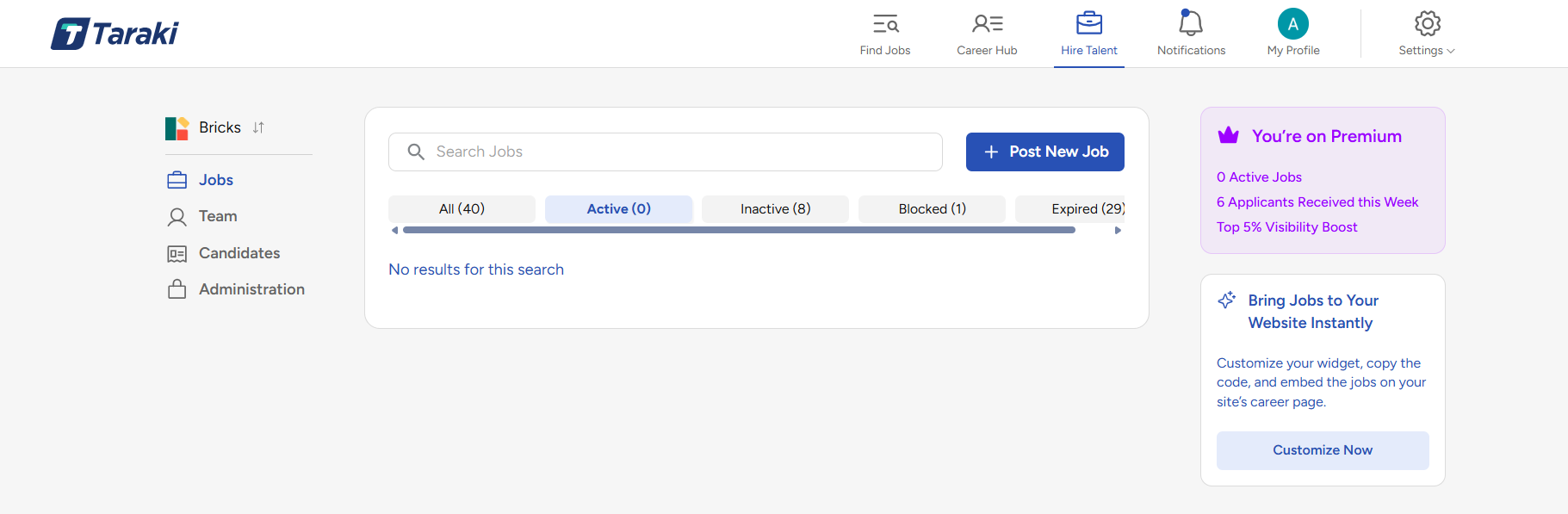
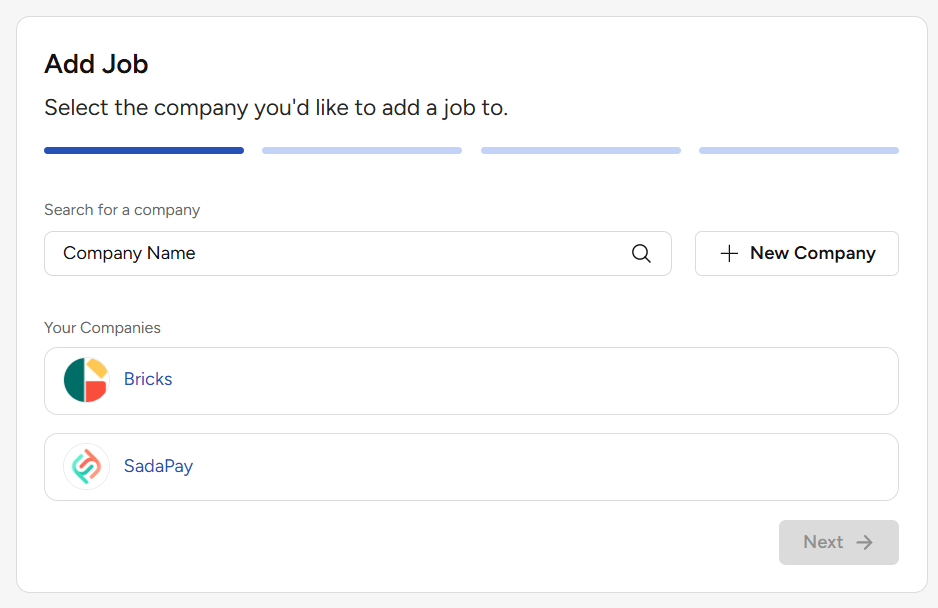
Step 2: Click on “Post Job”
-
Click the Post Job button to start creating a new job listing
-
Select the company you want to post job for.
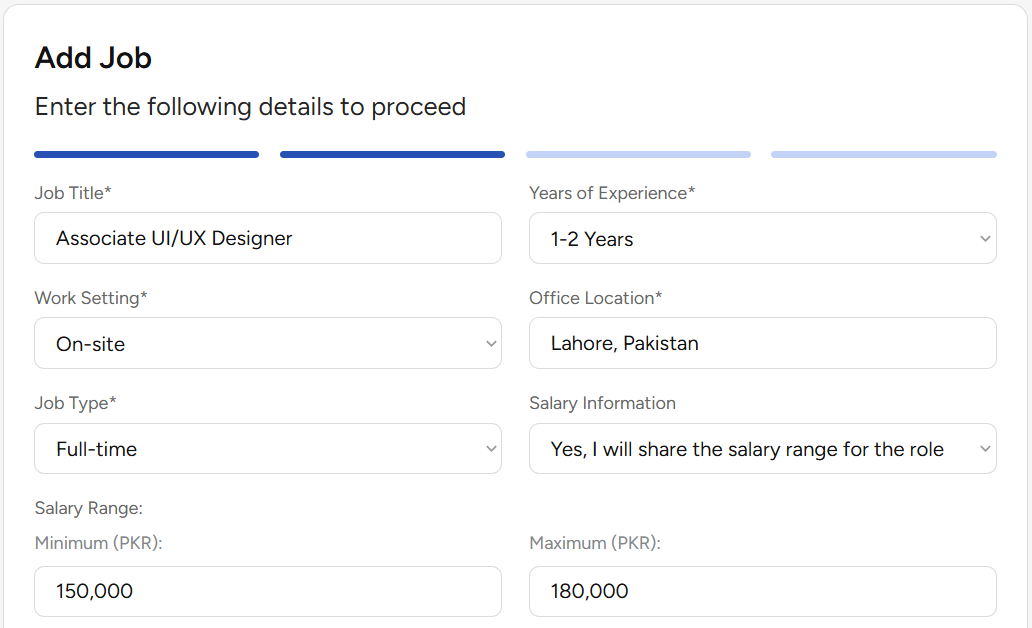
Step 3: Fill Out Job Details
Provide the required information for your job:
-
Job Title
-
Location
-
Job Type
-
Salary (if applicable)
-
Years of Experience
-
Work Settings (onsite, remote, hybrid)
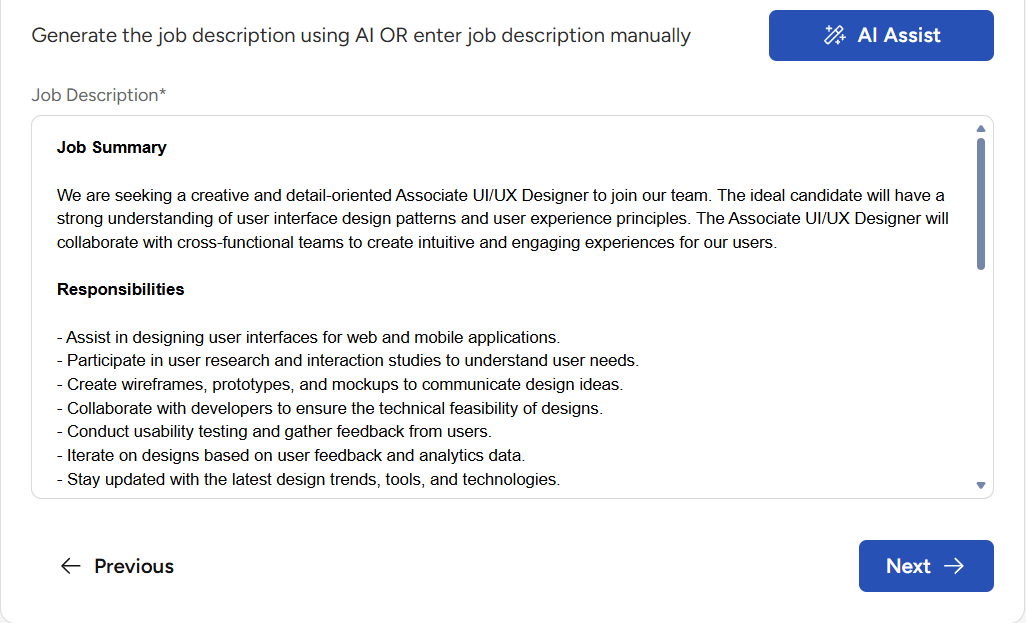
Job Description (JD)
-
If you already have a job description, simply copy and paste it.
-
Otherwise, use the AI Assistant to automatically generate a JD based on the information you provide.
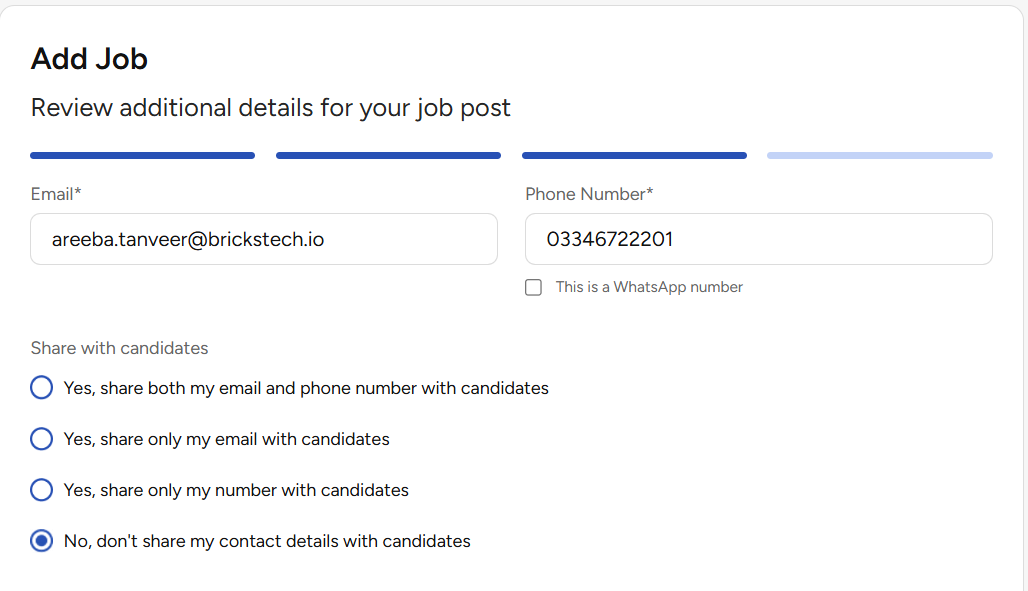
Step 4: Configure Contact Visibility & Rejection Email Settings
-
Choose whether you want your contact details to be visible to candidates or not.
-
Choose whether you want to send rejection emails to candidates
-
Enable this option if you want Taraki to automatically notify candidates when they are not selected
-
Disable it if you prefer to manage candidate communication manually
💡 This helps you maintain a better candidate experience with timely updates.
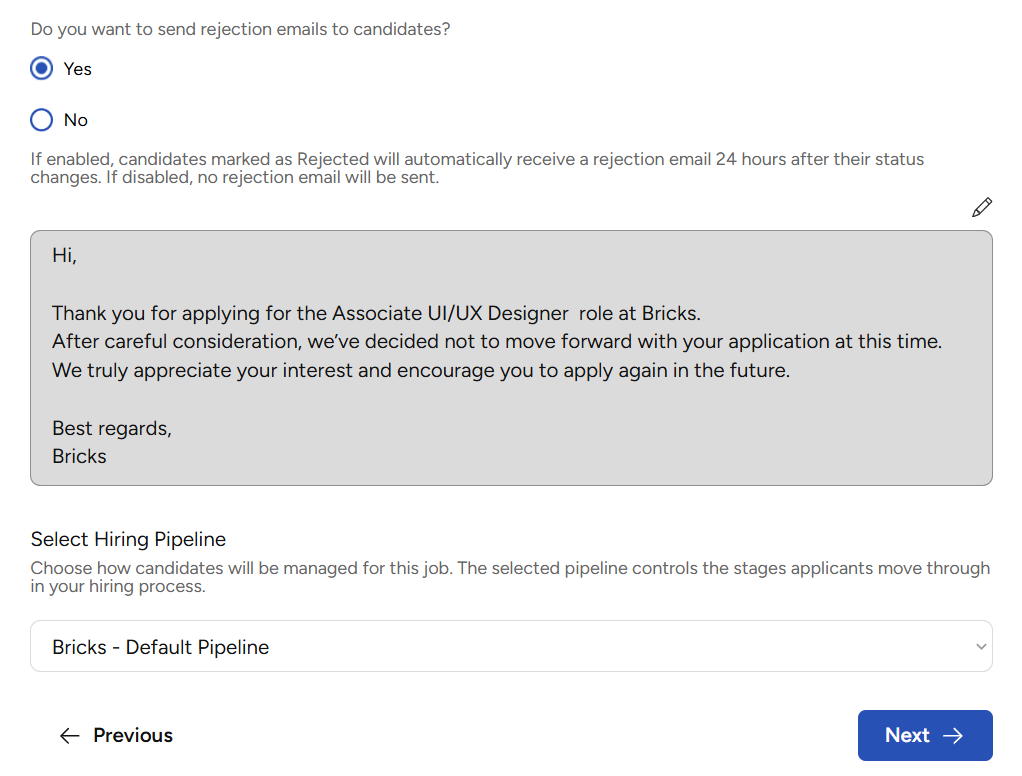
Step 5: Configure Hiring Pipeline
-
Set up your hiring stages (e.g., Applied, Screening, Interview, Offer)
-
You can customize the pipeline based on your hiring process
Step 6: Post the Job
-
Review all the details carefully
-
Click Post Job to publish your job
Step 7: Download & Share Job Poster
-
After posting, download the job poster
-
Share it across different platforms (e.g., LinkedIn, WhatsApp, etc.) to reach more candidates

🎉 You’re Ready to Hire!
Your job is now live on Taraki. Start receiving applications and manage candidates directly from your dashboard.