.jpg)
This guide will help you manage your existing job postings using available actions like Edit, Repost, and Duplicate.
Where to Find Job Actions
-
Go to the Hire Talent module
-
Click on the Jobs tab
-
You will see a list of all your jobs (Active, Inactive, Blocked, Expired)
-
For each job, click on the three-dot menu (⋮) on the right side
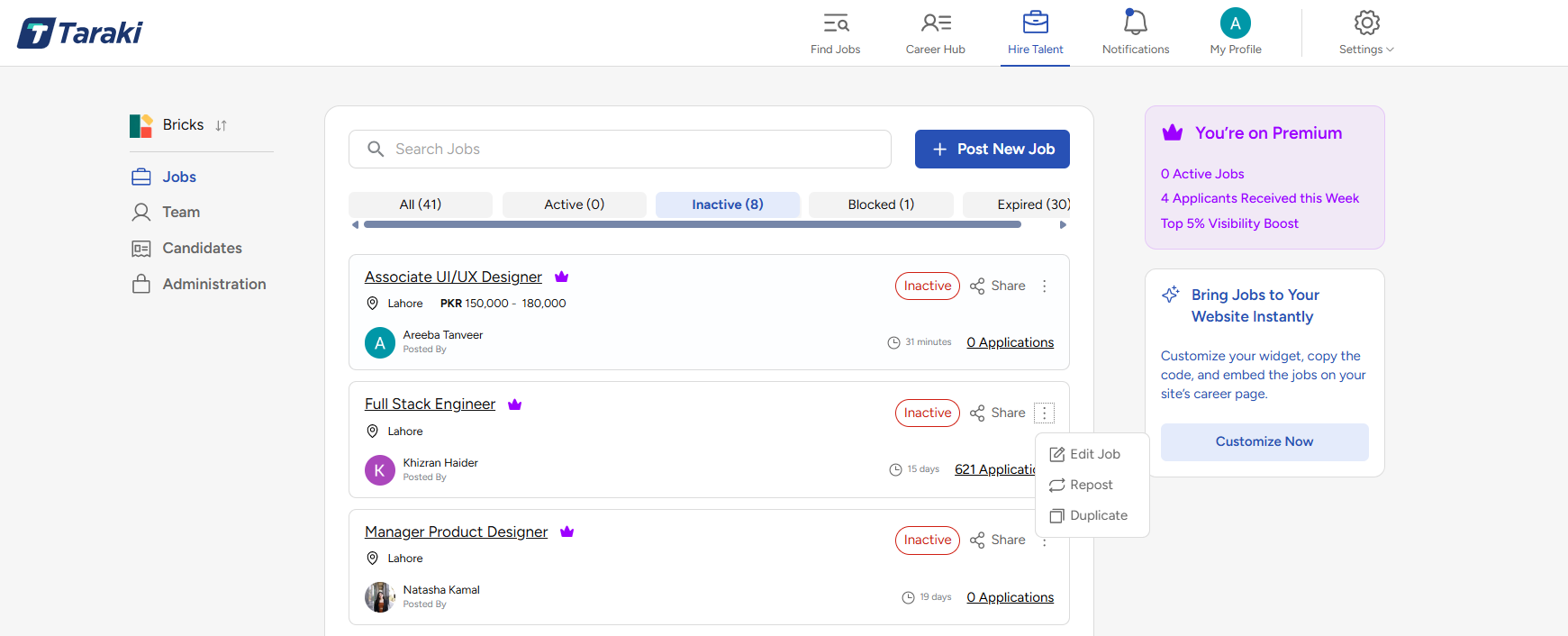
Use the tabs at the top to quickly filter jobs:
-
All – View all jobs
-
Active – Currently live jobs
-
Inactive – Jobs not published
-
Blocked – Jobs restricted due to issues
-
Expired – Jobs that are no longer active
Available Job Actions
1. Edit Job
-
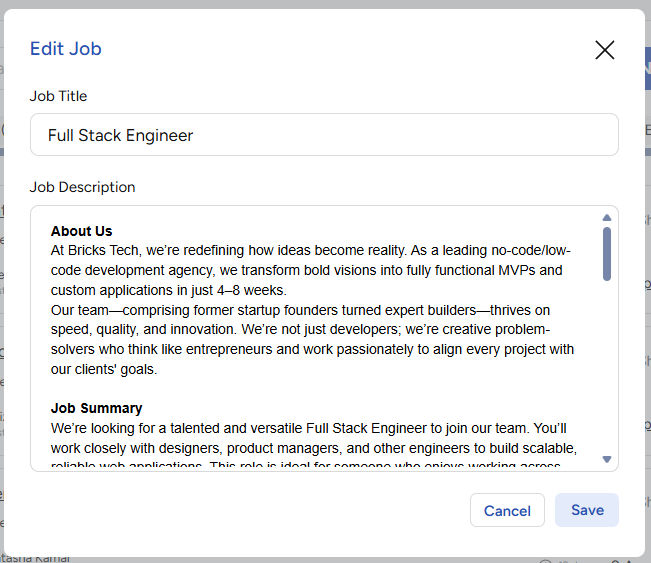
Select Edit Job to update your job details
-
You can modify:
-
Job title
-
Description
-
Click Save after making changes
Use this when you want to make corrections or improve your job listing.
2. Repost Job
-
Select Repost to make an inactive or expired job live again
-
This helps you:
-
Refresh visibility
-
Attract new candidates
-
Ideal for roles that are still open but need more applicants.
3. Duplicate Job
-
Select Duplicate to create a copy of an existing job
-
A new job form will open with pre-filled details
-
Make necessary edits and publish
Useful when hiring for similar roles without starting from scratch.
That’s it for Job Management. By following these steps, you can easily create, manage, and optimize your job postings to attract the right candidates. If you face any issues, please reach out to the team at support@taraki.co