.jpg)
Once your Google account is connected, emails you send to candidates from Taraki go out from your own Gmail address.
Before you start
Connect your Google account from the Integrations page. The Google Integration page explains how.
Send an email
-
Open the candidate you want to email.
-
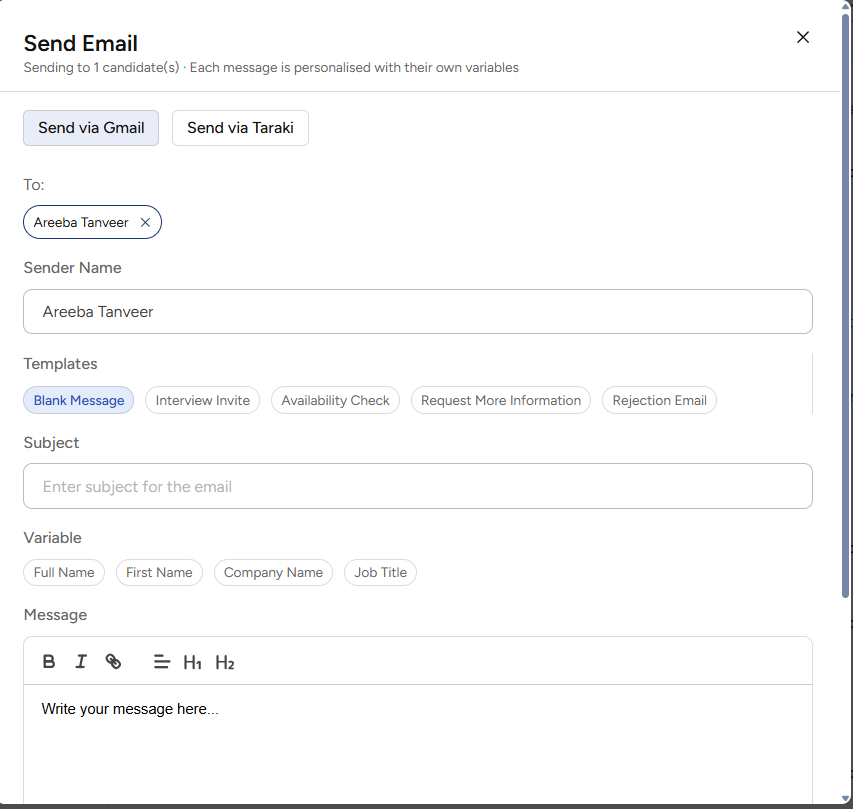
Click the option to send an email. In the popup select “Select via Gmail”.
-
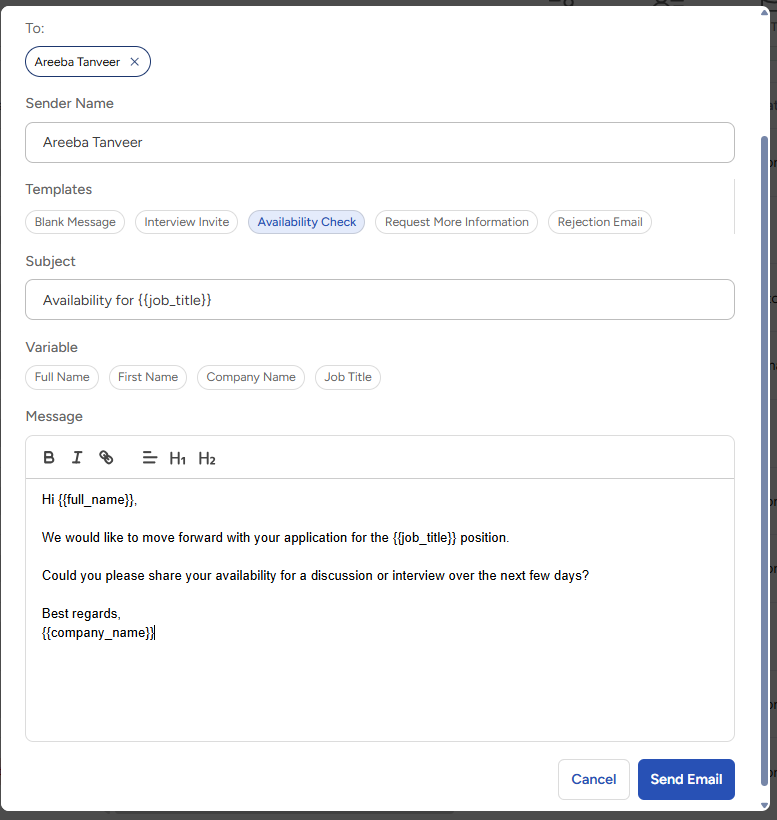
Write your subject and message.
-
Click Send.
What happens after you send
-
The email goes out from your Gmail address.
-
It appears in your Gmail Sent folder.
-
Candidate replies arrive in your Gmail inbox.
If your connection stops working
A Google connection can stop working, for example if you change your Google password or remove Taraki's access from your Google account. When this happens, Taraki will not send the email from another address. Reconnect Google from the Integrations page, then send the email again.
Common questions
Can my teammate and I send from the same Gmail account?
Yes. Two company members can connect the same Gmail account.
Does Taraki read my emails?
No. Taraki only has permission to send emails. It cannot read your inbox.