.jpg)
Once your Google account is connected, you can schedule interviews with candidates directly from Taraki, and they are added to your Google Calendar.
Before you start
Connect your Google account from the Integrations page. The Google Integration page explains how.
Schedule an interview
-
Open the candidate you want to interview.
-
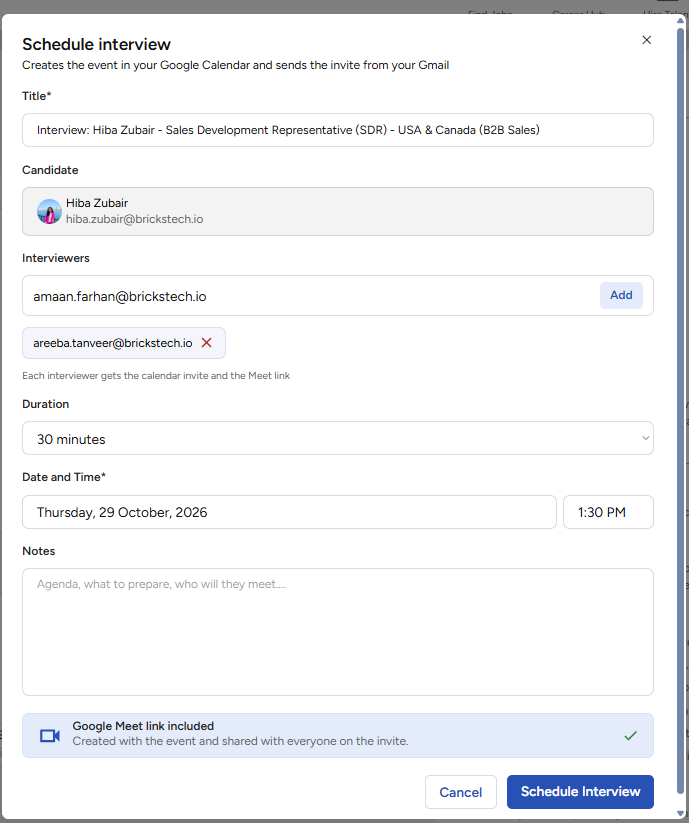
Click the option to schedule an interview.
-
Choose the date, time, and duration, and add any details for the interview.
-
Confirm to schedule the interview.
What happens after you schedule
-
The interview is added to your Google Calendar.
If your connection stops working
A Google connection can stop working, for example if you change your Google password or remove Taraki's access from your Google account. Reconnect Google from the Integrations page before scheduling the interview.