.jpg)
Accessing Application Forms
This guide explains how to create a new application form in Taraki.
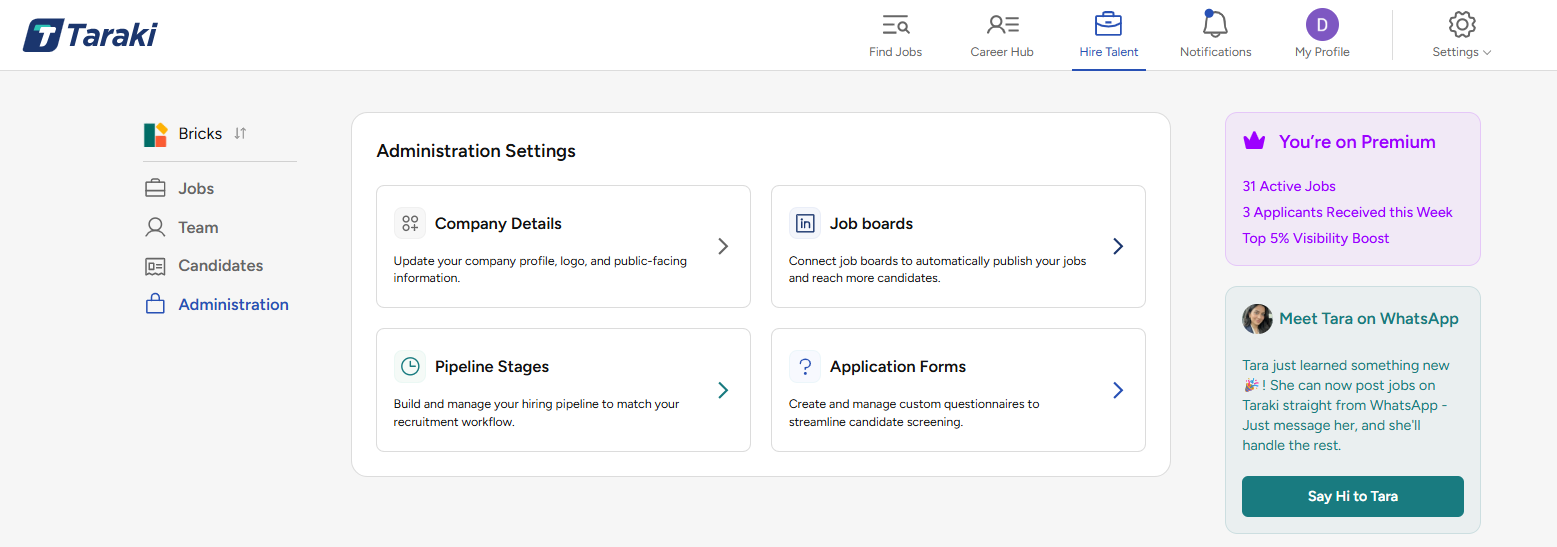
Application Forms are a premium feature and are only available to company admins. To create or manage application forms, you must have Admin access for the company.
To access Application Forms:
-
Go to Hire Talent.
-
Open the Administration tab.
-
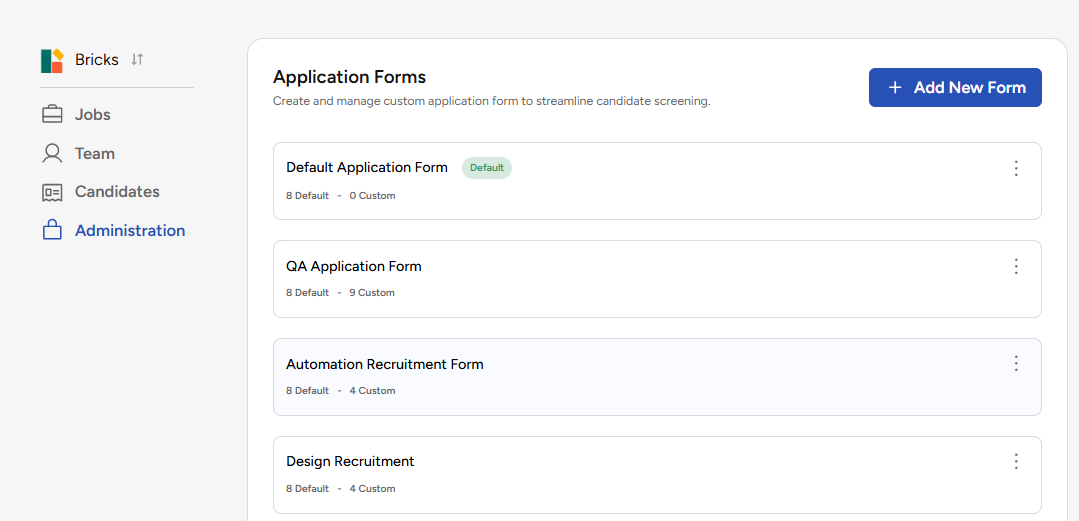
Select Application Forms.
From here, you can view existing application forms and create new ones.
Steps to Create an Application Form
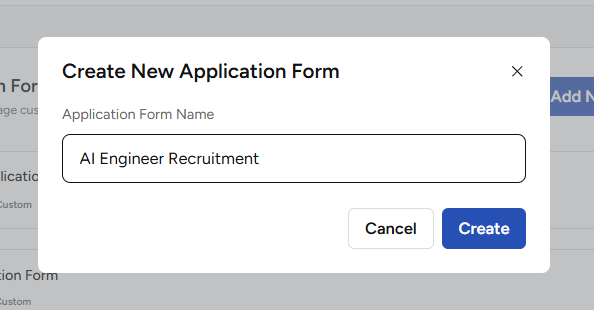
Click Add New Form
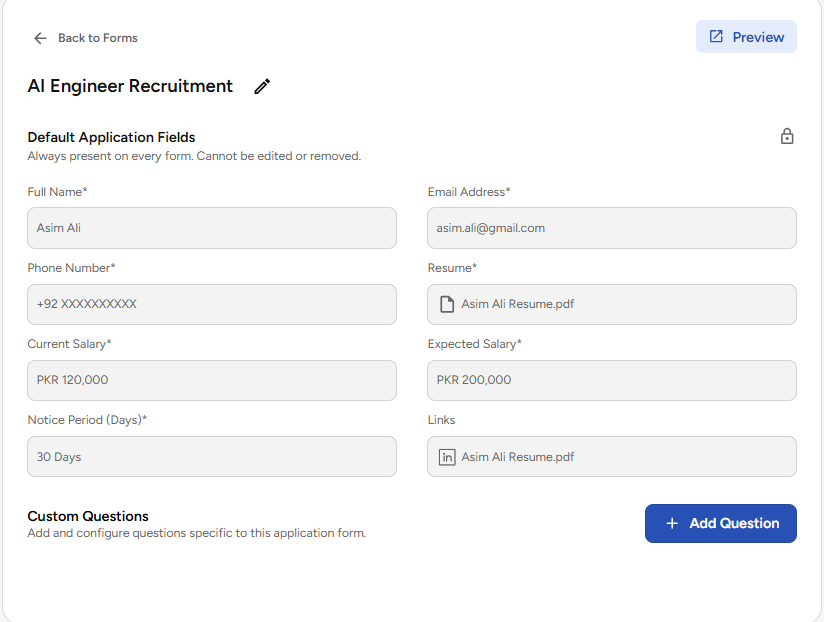
This will open a popup. Enter the name of the form and press “Create”. It will create the applications form with following default fields. You can keep it as is or can add customized fields.
Default Fields:
-
Applicants Full Name
-
Applicants Email
-
Phone Number
-
Resume
-
Current Salary
-
Expected Salary
-
Notice Period
-
Links (LinkedIn, GitHub etc.)
Next Step
Once your application form is created, the next step is to add fields to collect candidate information.
To learn how to add predefined fields such as Current Salary, Expected Salary, Notice Period, and Years of Experience, click the link below:
How to add Custom Fields in an Application Form?
Use this guide to add standard candidate fields to your form before adding any custom questions.